The polite way to reach every Windows desk.
Branded notifications, restart campaigns with real deferrals, and one-tap surveys. Deployed from your RMM as a single 5 MB file. Every answer comes back as an exit code and JSON.
In the box
- 1pardon.exe, about 5 MB
- 1campaign file, in JSON
- 0agents to install
- 0servers to run


Fits the tools you have:
NinjaOneDatto RMMAteraConnectWise AutomateMicrosoft IntuneA scheduled taskSix pieces, one look your staff learn once
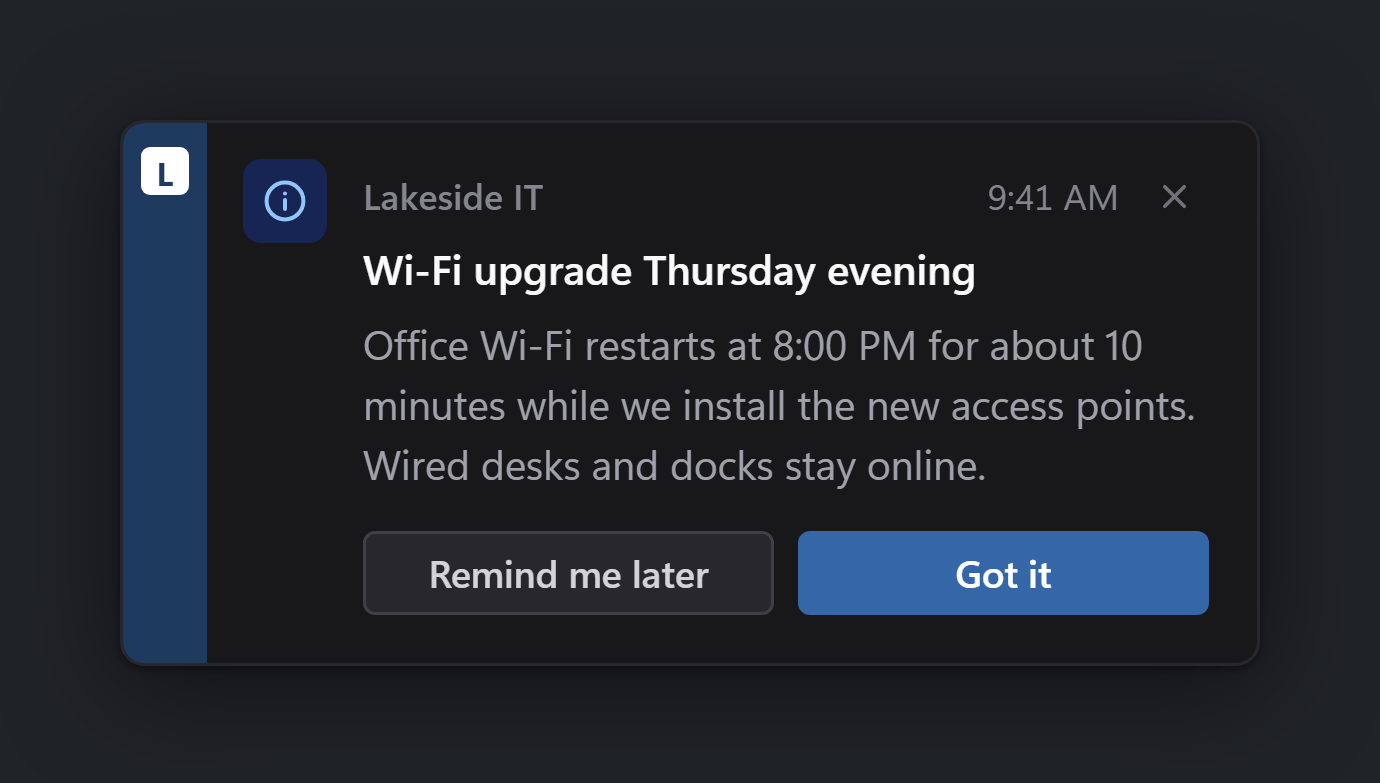
Pick up any piece to see it at full size. These are real renders from the same UI bundle the exe ships, in each person's Windows light or dark setting.
A short heads-up in the bottom-right corner. It stays on top until answered, or goes away on its own with a timeout.
Toasts in the docsWhat each machine gets
Nothing to install
One exe, about 5 MB. If a machine lacks Microsoft's WebView2, Pardon installs it quietly the first time it runs.
Every signed-in person
Run it as SYSTEM and Pardon shows the card in each user's session, console or Remote Desktop, then returns one combined result.
Restarts people accept
Set a deadline and a number of deferrals. Pardon remembers, asks again, and restarts when the time is up.
Answers you can script
An exit code for the RMM, full JSON on stdout or to a file. Unknown fields are refused with exit 11.
Signed delivery
Post each result to your own endpoint, signed with HMAC, with the secret kept from users.
Any brand colour works
Pardon adjusts only the lightness of your colour where needed, so buttons and text always meet WCAG contrast.
From script box to answer in three steps
Copy the exe
Anywhere you like. There is no installer and nothing to register.
C:\Program Files\Pardon\pardon.exeSend a campaign
A one-liner, or a JSON file with branding, buttons and policy.
pardon.exe show --payload .\wifi.jsonCollect the result
The exit code says what happened; the JSON says who and when.
"outcome":"acknowledged","exit_code":0
Your name on every card, so staff trust it
Two fields: an organisation name and an accent colour. The same toast, built for four organisations. Branding in the docs.


Free for your first 25 machines
After that, buy the exe once, take the console by the year, or, for MSPs, pay by the block of 250 machines. Prices are in US dollars.
Free
Every message type, for your organisation's own machines.
Pardon Standalone
A perpetual licence for the signed exe, with a year of updates.
Pardon Console
For a single organisation, with a 14-day trial.
Shall we tell you when it ships?
Leave an address and we will send one note, when the download and the console are ready. Nothing else.
TBD Download (coming soon)
There is no public download yet. The docs are ready now.
Questions IT people ask
Does it really restart machines?
Yes. Restart now, an expired countdown and a no-action policy all ask Windows to restart, politely first so apps can prompt to save. Try it on a test VM first. Reboot campaigns has the details.
What if nobody is signed in?
Run as SYSTEM with nobody signed in and Pardon exits 6, so you can try again in working hours. See Deploying with an RMM or Intune.
Which Windows versions?
64-bit Windows, verified on Windows 11 and Windows Server 2022.
What about air-gapped machines?
Deploy WebView2 with Microsoft's offline installer first, or pass --no-runtime-install so a missing runtime fails fast. Troubleshooting covers WebView2.